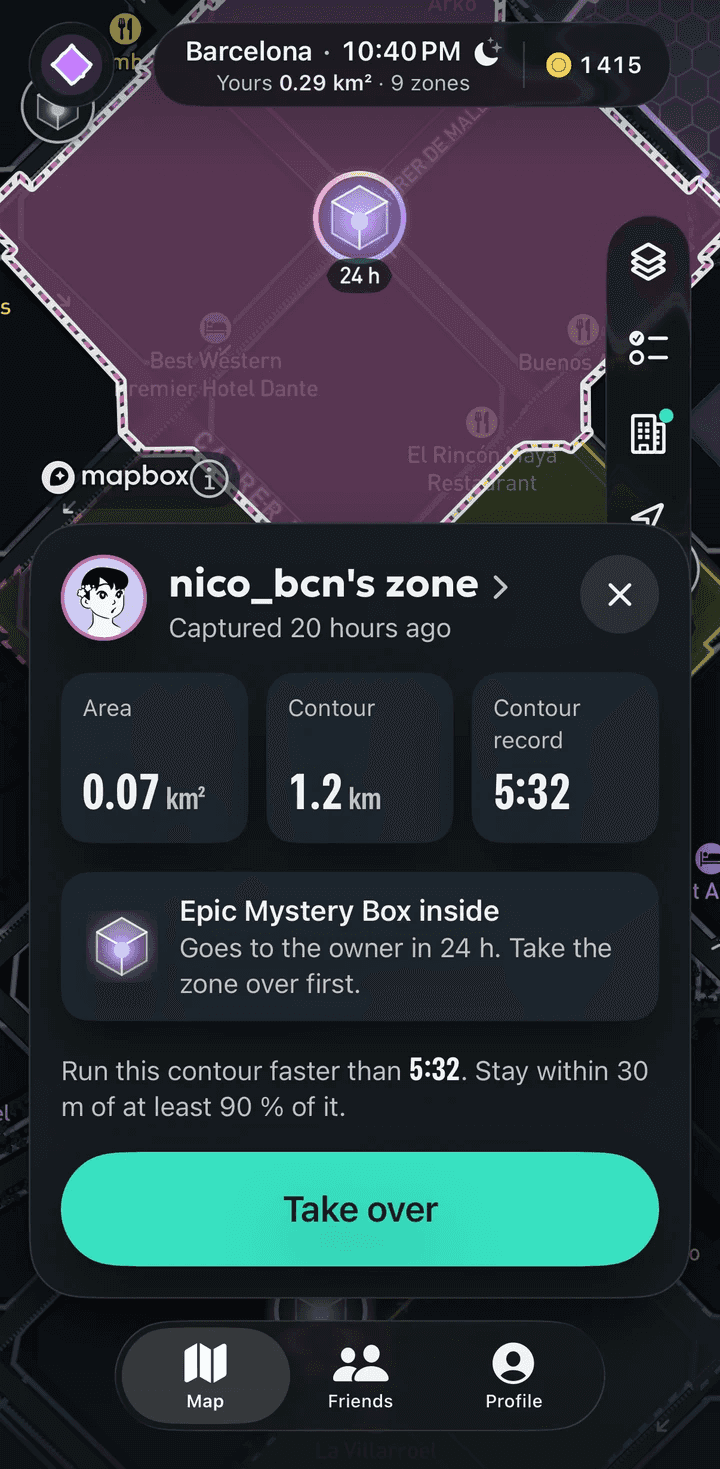
Every zone shows the owner’s time. Beat it.
To take another runner’s zone in RunBattle, run along its contour and finish faster than the owner’s time. You need to cover at least 90% of the contour within a 30 m corridor, with at least 50% of your own route on it. A navigator walks you to the start and warns you when you leave the line.
One rule: same contour, faster
Owning a zone means holding the best time on its edge, so circling the block once isn’t enough. You beat the owner on their own line.
Three conditions decide it. At least 90% of the contour has to be covered within 30 m of your track. At least 50% of your route has to run on the contour, so a wide detour doesn’t count. And your time has to be lower than the record.
The record is the whole run by the clock, from start to finish, pauses included. Waiting at a red light costs you time against it.
What you see while you run it
The screen shows how many seconds ahead of or behind the record you are, and it warns you when too much of your run strays from the contour. So you find out during the run if you are on pace for the record.
What you get for a take-over
The whole zone moves to you, shape and all. You also get 100 coins and 250 XP, and if a Mystery Box sat inside the zone, it comes with it.
Some missions count take-overs, including taking back a zone you lost.
What happens if someone takes yours?
Open the app and you’ll see that the zone was taken, and by whom. Everyone else sees the event 2 hours later, without a name and only to the nearest district.
You take it back the same way: run the contour faster than the new record.
Why a take-over can fail
The run always saves as a workout. It won’t take the zone in these cases:
- You covered less than 90% of the contour within the 30 m corridor.
- Less than 50% of your route ran on the contour.
- Your time, pauses included, was not lower than the record.
- You held more than 6 m/s for 60 seconds, or moved more than 100 m during a pause.
- Above 7 m/s over 60 seconds the run doesn’t count at all and earns no coins or XP.
Watch the contour first
Every zone has a replay of the run that captured it, at 1×, 2× or 4× speed, with a pace chart alongside. Watching it shows where the owner went fast and where the turns are.
Can I stop, ride a bike, or shield my zone?
You can stop, but the clock keeps running for the record, so every pause costs time.
A bike won’t work: more than 6 m/s held for 60 seconds blocks the capture.
There is no shield and no immunity. A zone stays yours as long as its record holds.
Key numbers
- Take-over
- To take over a zone, cover at least 90% of its contour within a 30 m corridor, with at least 50% of your route on the contour, and finish faster than the owner.
- Take-over
- A zone that is taken over moves whole to the new owner, geometry and all.
- Take-over
- The former owner sees "zone taken" with the taker's name when they open the app. Everyone else sees it 2 h later, without a name, at district precision.
- Take-over
- A zone's record is the whole run's wall-clock time, pauses included. To beat a record, pausing costs time.
Numbers checked against the app code
What it doesn’t do
- Running around a zone doesn’t take it; only its contour counts.
- A take-over can’t be bought or boosted with shop items.
- You can’t protect a zone from being taken.
- A run without a GPS route, such as a watch run without one, can’t take a zone.
Get RunBattle
Free; coins come from running


Coming soon to the App Store and Google Play