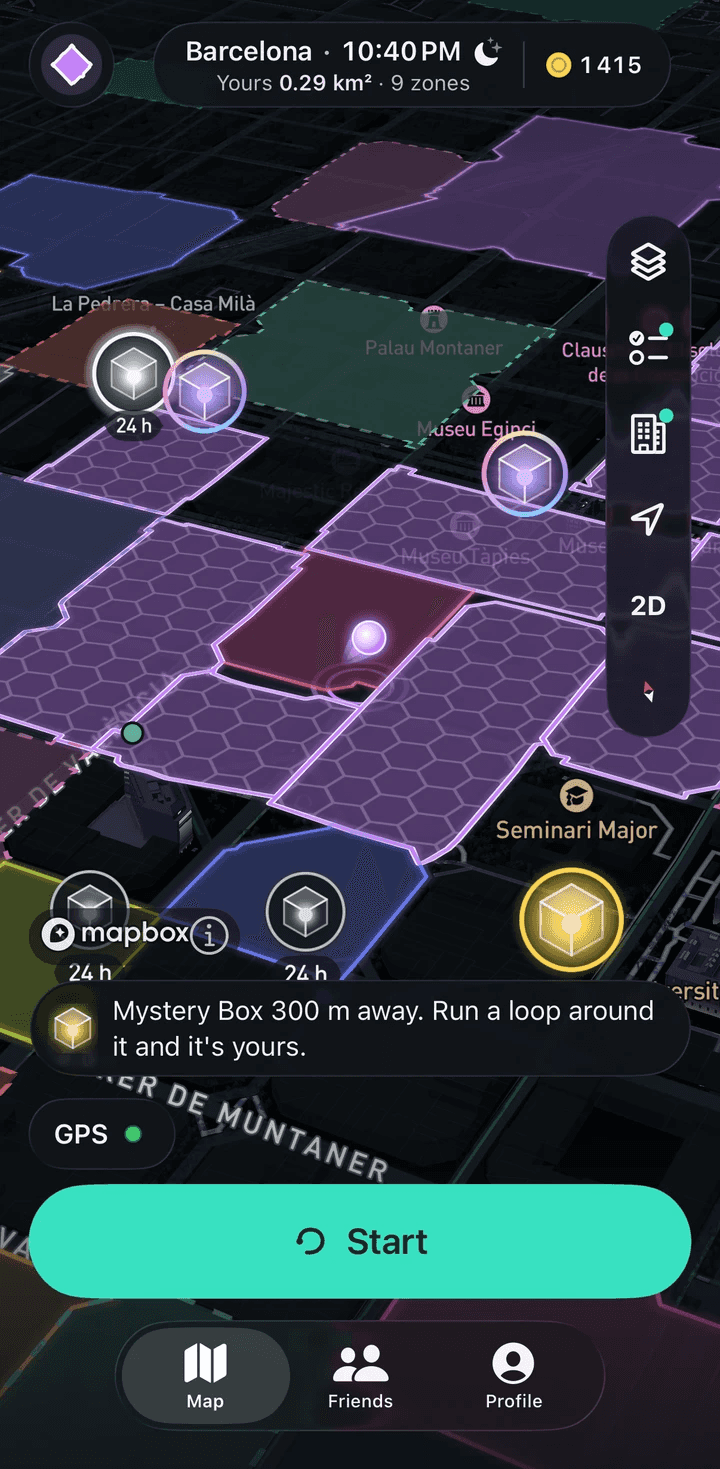
Close a loop. Own what’s inside.
In RunBattle a zone is the area inside a running loop you close. Finish within 100 m of where you started, and the streets inside, from 0.01 km² up to 5 km², become your zone on a map shared by every runner. Zones never overlap, so a new loop only takes free ground.
How does a loop become a zone?
Start anywhere: a park gate, a metro exit, your own corner. The route can take any shape, around one block or across half the city, as long as it comes back.
When you get within 100 m of your start, the app tells you the loop is ready. Finish there and the server works out the area inside. A loop that ends more than 100 m from its start is rejected.
How big can a zone be?
Anything from 0.01 km² to 5 km², and the route needs at least 8 GPS points.
A bigger loop means a bigger zone and more coins: 50 per km² on top of 5 per km. A run shorter than 0.5 km earns no coins at all.
What happens when your loop crosses someone else’s zone?
Zones never overlap. If your loop goes around a block someone already owns, that block is cut out of your new zone and you get only the free ground around it.
Circling a rival zone doesn’t take it. To take it, you run its contour, and you run it faster than the owner.
Why didn’t my run capture a zone?
A run always saves as a workout. It won’t capture a zone if one of these happened:
- You finished more than 100 m from your start.
- The area was under 0.01 km² or over 5 km².
- You held more than 6 m/s for 60 seconds, which is faster than running.
- You moved more than 100 m while the run was paused.
- The track was too sparse: fixes more than 10 s apart on average, or pauses longer than 20% of the run.
- Above 7 m/s over 60 seconds, or 5.5 m/s over 300 seconds, the run doesn’t count at all and earns no coins or XP.
Replay: how was a zone taken?
Any zone lets you watch the run that captured it. The route plays on the map at 1×, 2× or 4× speed, with the pace chart in its own panel.
The owner sees the whole trace. Everyone else sees nothing within 300 m of the start and the finish, and a fixed extra per zone stretches that hidden part to between 300 and 600 m. Other players don’t see the time of day either, only the capture date, rounded to the day. The zone’s contour stays public, and your loop’s start lies on it.
What happens when you re-run your own zone?
Nothing. Running it again does not refresh it or capture it a second time, because the ground is already yours. New area comes from loops over ground that is not yours yet.
Where do you find a good loop?
Any block will do. Zone area inside special places such as parks, promenades and plazas earns ×2 coins from 07:00 to 21:00 local time.
How long does a zone stay mine?
Until someone runs its contour faster than your record. The record is the whole run by the clock, pauses included, so stopping at lights doesn’t help it.
Key numbers
- Zones
- A loop is ready once you are within 100 m of your start; the server rejects loops not closed within 100 m.
- Zones
- A zone can be from 0.01 to 5 km², and the route needs at least 8 points.
- Zones
- Zones never overlap: a new loop takes only free ground, and existing zones are clipped out of it.
- Zones
- The run that captured a zone replays on the map at 1×, 2×, 4× with its own pace chart; the owner sees the full trace.
- Privacy
- In other players' replays, everything within 300 m of your start and finish is cut, plus a fixed extra of up to 150 m per zone (the circle's centre is shifted too), so the hidden reach is 300 to 600 m depending on direction. The zone itself is public: its contour is the route of the loop, and the loop's start lies on it.
Numbers checked against the app code
What it doesn’t do
- Running around someone’s zone doesn’t take it; its area is cut out of your loop.
- No route, no zone. A watch run without a GPS track counts for distance and missions only.
- There is no protection from take-overs: a zone lasts as long as its record does.
Get RunBattle
Free; coins come from running

Coming soon to the App Store and Google Play