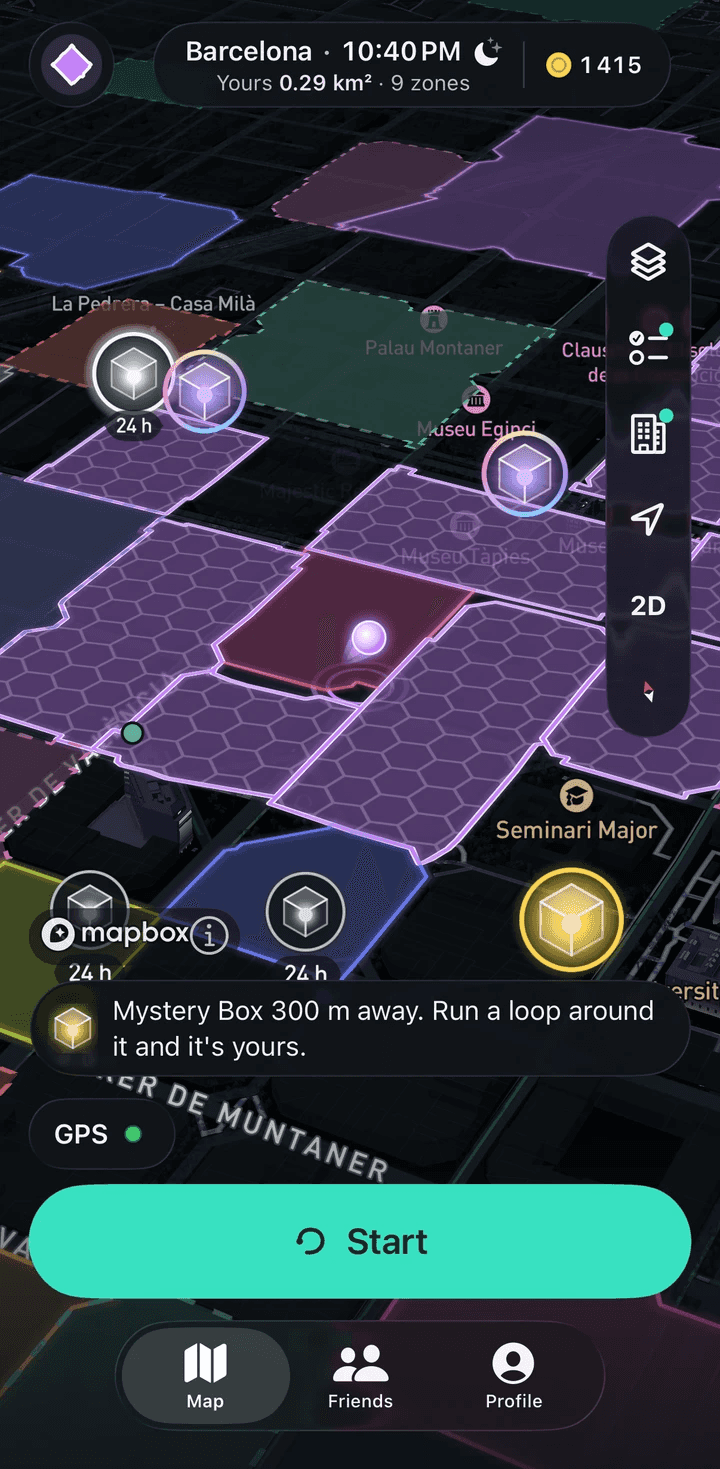
How it works: from your first run to your first zone
Start a run, go around a block and finish within 100 m of where you started. If the loop holds 0.01 to 5 km², it becomes your zone on the shared map. Close a loop around a Mystery Box and the box is yours. To take someone’s zone, run 90% of its contour faster than they did.
Step by step
Play the tutorial
The app opens straight on the map, before any sign-in, and starts the tutorial. You play it with your finger: circle a block, close a loop around a Mystery Box, trace a rival zone’s edge faster than its owner, then pick your color and marker.
You can skip it, and you can replay it any time from Profile › Support › How to play.
Sign in to keep your zone
At the end of the tutorial, Save my zone opens sign-in. Sign in with Apple or with a code sent to your e-mail; Google, Facebook and VK ID are coming. You can also look around the map first and sign in later.
After you sign in, you pick a name and enter your birth year. The app is open from the calendar year you turn 13, and chat from the year you turn 14.
Tap Start
The first time you tap it, the app asks for your location. While the app is open, the map uses your location; in the background, location is used only during an active run. The app drops GPS fixes less accurate than 50 m, and auto-pause kicks in after 6 seconds of standing still.
Run and watch the loop
The loop is ready once you are under 100 m from the start. Finish there and the server measures what is inside.
Finish and get your zone
The server checks that the loop closed within 100 m, has at least 8 points and encloses 0.01 to 5 km². It also checks speed: holding more than 6 m/s for 60 seconds keeps the run but blocks the capture. Zones never overlap, so you get only free ground.
Coins: 5 per km and 50 per km², up to 100 run coins per UTC day, and nothing for runs under 0.5 km. If the capture fails, the run is still saved as a workout.
Save it to Apple Health
The run goes to Apple Health as an outdoor running workout with distance, energy and the route. Watch runs come in through Health too, but only runs that arrive with a route can capture zones, and Apple Watch runs always carry one.
Claim your first Mystery Box
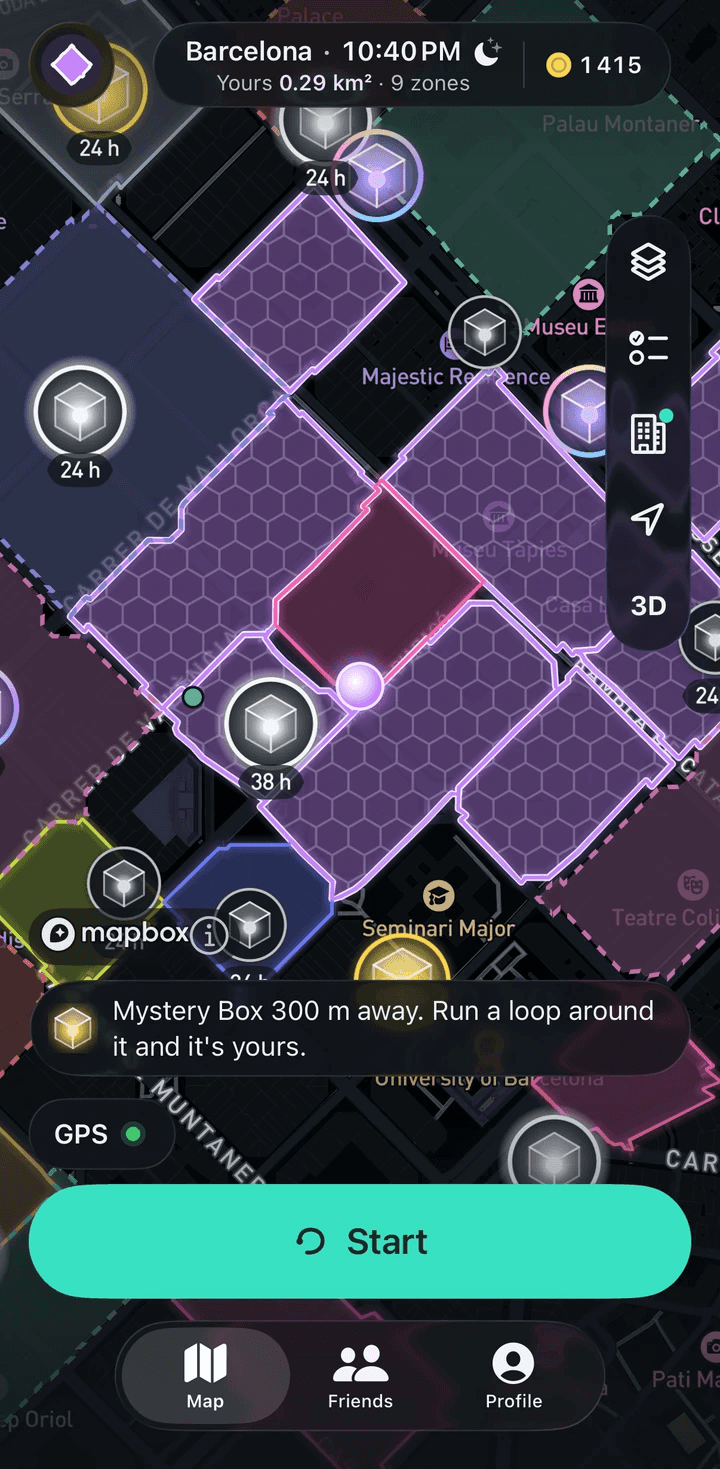
On free ground, close a loop around a box. A box inside someone’s zone goes to the owner after 24 hours unless you take the zone first.
To open one, press and hold. The odds are on screen before you open it. Boxes appear in any city, and weekly and streak missions can pay one as well.
Pick up today’s missions
Each day brings 3 daily, 2 weekly and 2 repeatable missions. They pay 10 to 40 coins, weekly and streak missions can pay a box, and mission coins don’t count toward the daily cap.
Take someone’s zone
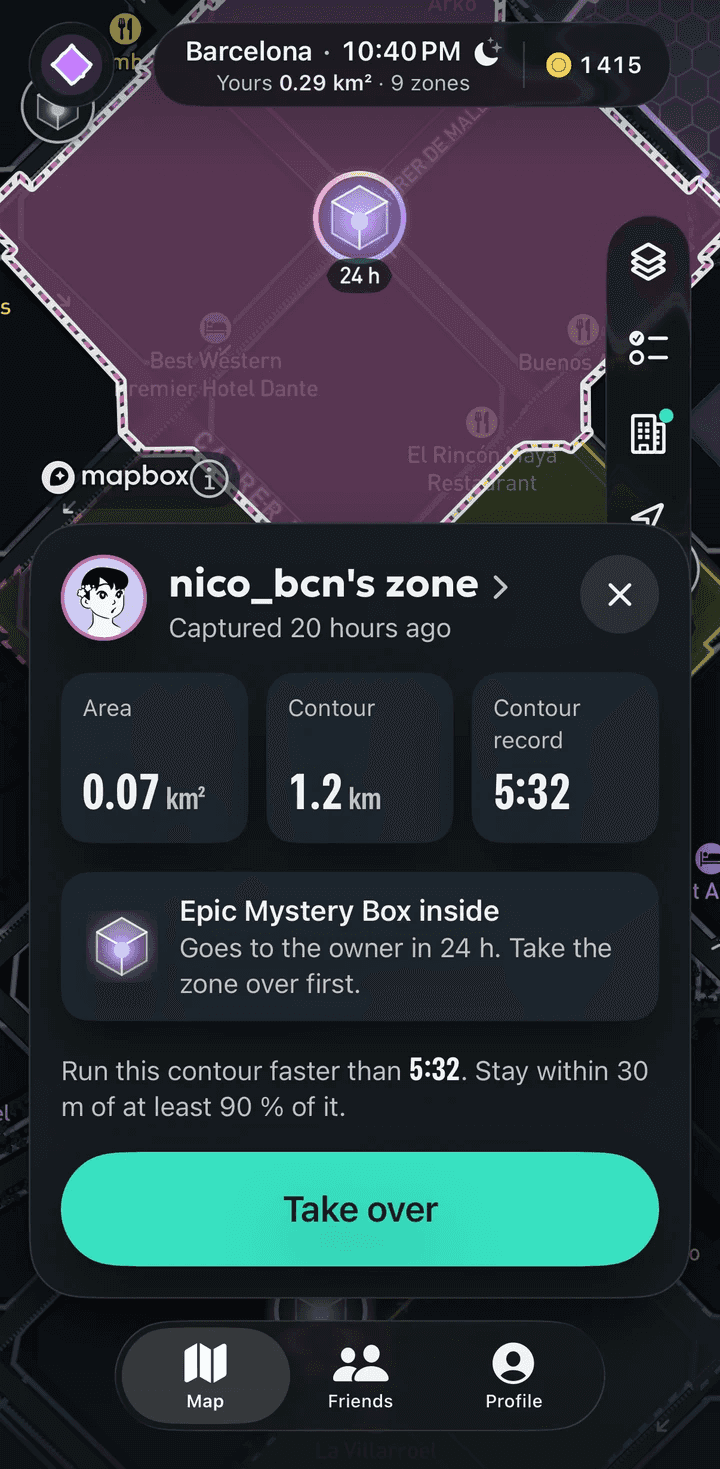
Tap a rival zone, check its record and tap Take over. The navigator leads you to the start, and the run can begin within 25 m of it with a GPS fix of 20 m or better.
Cover 90% of the contour within 30 m and finish faster than the record. The time includes pauses.
Watch the replay
Any zone can replay the run that captured it on the map at 1×, 2× or 4× speed, with a pace chart beside it. What other players see of your own run is trimmed around your start and finish, and the time of day is hidden.
What if I don’t close the loop?
The run saves as a normal workout, with its distance and the coins for the kilometers. There is just no zone.
How far do I have to run for a first zone?
There is no fixed distance. The smallest zone is 0.01 km², roughly a city block, so one lap around a block can be enough.
What comes next?
Special places pay ×2 coins for zone area by day, the shop changes only how things look, and friends can message each other once chat opens.
In the app it’s one run
You don’t have to do these steps in order. A single run can capture a zone, pick up a box and finish a mission at once.
How zones workGet RunBattle
Free; coins come from running

Coming soon to the App Store and Google Play